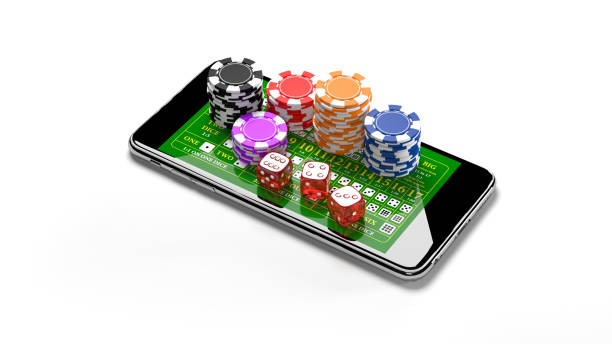
How to Access buncitbet777 on Mobile
Installation paths
We provide three primary paths to access buncitbet777 on mobile devices. Android users can download the APK file directly from our platform, install it by enabling unknown sources in device settings, and launch the app from their home screen. iOS users access buncitbet777 through their mobile browser by navigating to our domain and selecting "Add to Home Screen" to create a web-app shortcut. All devices support web-based access through any mobile browser without installation.

Installation walk-through
- Download: Navigate to buncitbet777.app on your mobile device, locate the Android APK download link (or use Safari on iOS to add to home screen), and follow the prompt to download.
- Install: For Android, open your device settings, enable "Unknown Sources" under security, then open the downloaded APK file and tap Install; for iOS, open Safari and select "Add to Home Screen" to create a shortcut.
- Register or log in: Launch the app or web shortcut, then either create a new account or enter your existing username and password.
- Start using: Complete account verification if needed, select a payment method (DANA, e-wallet, mobile banking, local payment, online payment, e-wallet, mobile banking, local payment, online payment, e-wallet), and begin exploring games, markets, and tournaments.
App versus browser: strengths and differences
The native Android app offers offline caching of game assets, push notifications for tournament announcements and withdrawal confirmations, and slightly faster load times for repeat gameplay. Browser access on both Android and iOS provides immediate updates without waiting for app store approval, requires no storage space on your device, and avoids installation permissions. We recommend the native app for frequent players who benefit from offline functionality; browser access suits users who prefer simplicity or have limited device storage.
Our mobile platform synchronizes your account data in real time across all devices, ensuring your balance and transaction history remain consistent wherever you access buncitbet777.
Device compatibility and requirements
The buncitbet777 Android APK requires Android 7.0 or later; most devices released in the past five years meet this threshold. iOS users should run iOS 12 or later for optimal performance. Web browser access works on any device with a modern mobile browser (Chrome, Safari, Firefox, Edge) regardless of operating system version. We test compatibility on common devices in Jakarta, Surabaya, Bandung, Medan, and Semarang; however, older or custom-ROM devices may experience occasional display inconsistencies. If you encounter compatibility issues, browser access provides a reliable fallback.
Common installation issues and troubleshooting
Android users may receive a security warning about unknown sources when installing the APK; this is normal and does not indicate malware. Verify that you downloaded the file directly from buncitbet777.app, then proceed with installation. If the APK file will not open, ensure your device has sufficient storage (at least 100 MB free) and that your Android version is 7.0 or later. iOS users may see a certificate trust warning when accessing the web app for the first time; tap "Trust" in the settings prompt to proceed. Clearing your browser cache can resolve blank screens or login failures on any device.

Data, permissions, and account security
The buncitbet777 app requests standard mobile permissions: internet access (required for gameplay and payments), location (optional, used to verify access is available in your jurisdiction), and notification permissions (optional, for deposit and withdrawal alerts). We do not access your camera, microphone, or contact list. Your password and session token are encrypted in transit and stored securely on your device; we never transmit passwords to our servers after login. If you suspect unauthorized access, change your password immediately through your account settings and contact our support team. We recommend enabling login notifications, which alert you by email or SMS whenever your account is accessed from a new device.